
Download PDF Blender – merge PDF files, combine PDFs, PDF merger, PDF tool, PDF utility
Overview
PDF Blender is a dedicated utility designed to simplify the process of merging multiple PDF files into a single document. Its primary function is to consolidate two or more PDFs with minimal user effort, making it a practical tool for individuals who frequently work with digital documents. The app addresses the common challenge of managing scattered PDFs by enabling seamless grouping, which is especially beneficial for students compiling research materials, professionals preparing reports, and anyone needing to organize digital content efficiently.
Targeted at users seeking a straightforward solution for PDF consolidation, PDF Blender is ideal for those who value speed and simplicity over complex editing features. While the developer, PDF Blender, has not provided additional background details, the app’s consistent functionality since its release in 2011 suggests a stable and reliable tool within the productivity space. The application operates as a lightweight desktop utility, emphasizing performance without resource-intensive demands.
Real-world use cases include combining lecture notes, merging invoices for accounting purposes, or assembling a portfolio of work samples. Despite its age, the tool remains relevant due to its focused purpose and minimal system requirements. In the broader app ecosystem, PDF Blender fills a niche for users who prefer no-frills, efficient utilities over feature-heavy software suites.
Key Features & Functionality
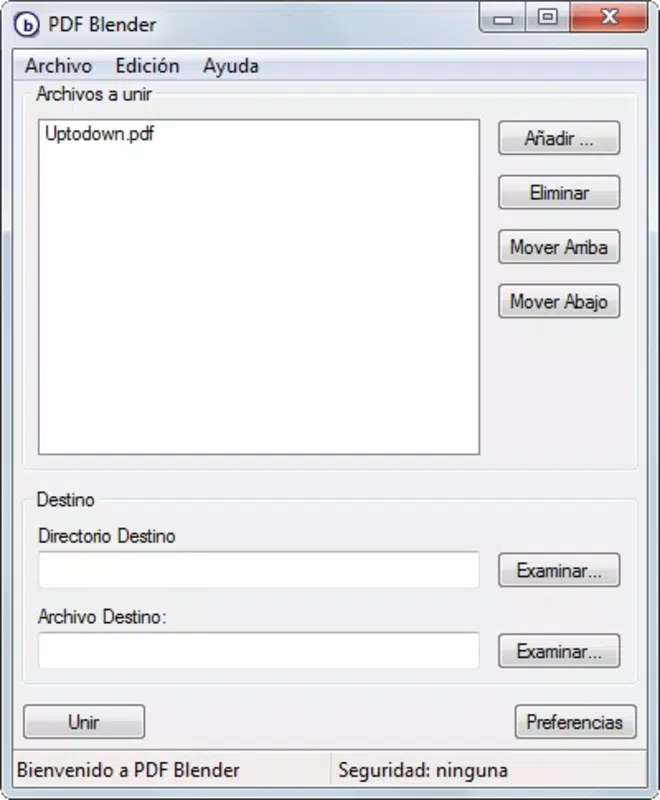
- Simple Interface: The application features an intuitive layout that allows users to drag and drop or browse for PDF files directly. The interface is designed to minimize user confusion, with clear labels for file selection, output naming, and destination folder settings.
- Quick Merging Process: Merging files is executed rapidly—often in seconds—due to optimized internal processing. This speed is particularly valuable in time-sensitive environments such as office workflows or academic submissions.
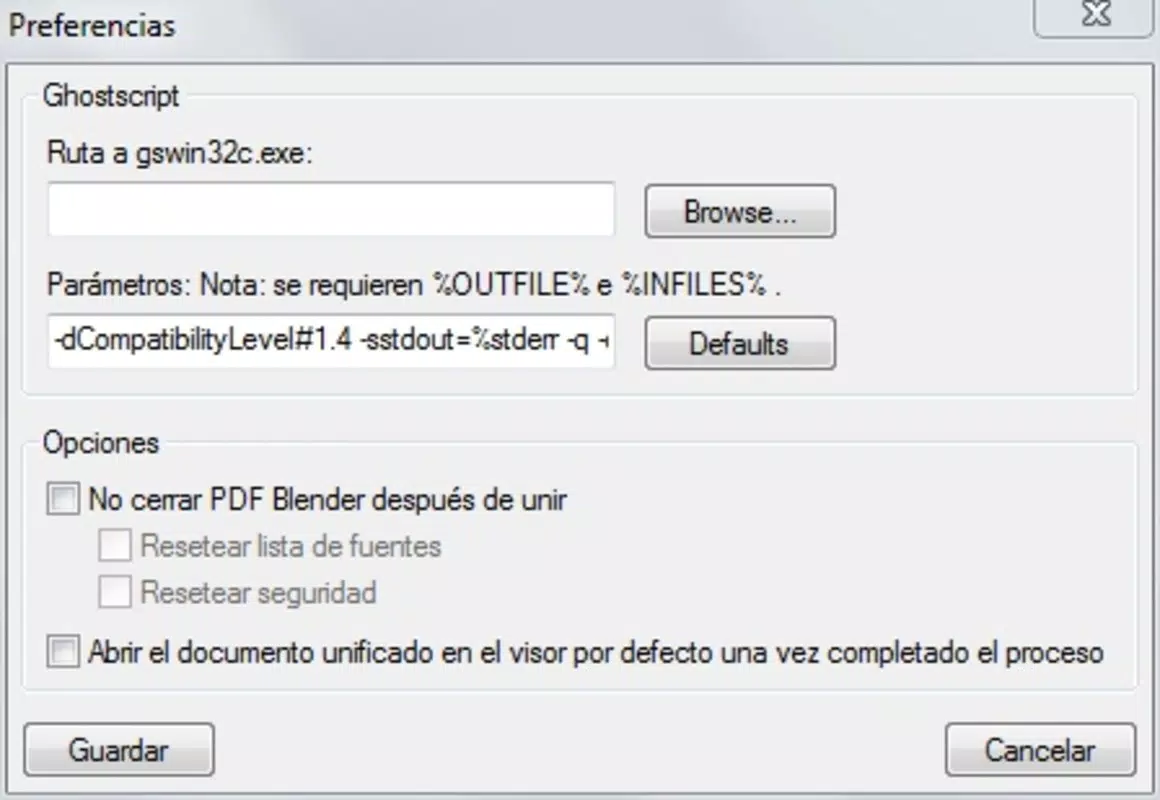
- Requires Ghostscript: PDF Blender relies on the latest version of Ghostscript to perform its core functions. Users must install Ghostscript separately before using the tool, ensuring compatibility and access to advanced PDF rendering capabilities.
- PDF Grouping Optimization: The tool is specifically engineered for consolidating multiple PDFs into one unified document. It preserves the original order of files and maintains document integrity during the merge process.
- Lightweight Design: At just 1.2 MB, the application consumes minimal system resources, making it suitable for use on older or low-spec machines without performance degradation.
For example, a student can quickly merge a set of chapter PDFs into a single study guide, or a small business owner can combine client contracts into one file for easy sharing. The tool’s focus on merging ensures predictable results without unnecessary features that could complicate the workflow.
Interface, UX & Performance
PDF Blender presents a clean, minimal interface that prioritizes usability over visual flair. The layout consists of essential controls: file input fields, a file list preview, and output configuration options. Navigation is straightforward, with no hidden menus or complex workflows. Users can add files via drag-and-drop or a standard file browser, and the app displays the current merge queue clearly.
Responsiveness is consistent across device categories, though specific performance metrics were not disclosed. The application maintains stability during typical use, with no reported crashes or freezes. Although the developer did not list formal performance metrics, the lightweight nature of the app suggests efficient memory and CPU usage.
Users benefit from a predictable user experience, with immediate feedback after each action. The lack of animations or excessive graphics contributes to faster load times and smoother interactions. However, the absence of advanced customization options may limit appeal for users seeking more control over merge settings.
Platform Compatibility & Technical Requirements
PDF Blender is available exclusively for the Windows platform. The current version is 1.0, with a file size of 1.2 MB. While the developer did not specify minimum OS requirements, the app’s lightweight design suggests compatibility with most modern Windows systems, including Windows 7 and later versions.
Compatibility information was not fully disclosed, and no details were provided about hardware or software prerequisites beyond the mandatory Ghostscript dependency. Users should ensure they have a compatible version of Ghostscript installed to avoid operational failures. The app does not support macOS, Linux, or mobile operating systems, limiting its accessibility to Windows users only.
Pros and Cons
Pros
- Lightweight and fast, with minimal impact on system resources
- Simple, intuitive interface suitable for all skill levels
- Efficient merging process completed in seconds
- Free to download and use with no hidden costs
- Specifically designed for merging PDFs, ensuring focused functionality
Cons
- Requires external installation of Ghostscript for operation
- Only available for Windows, with no support for other platforms
- No advanced merge options such as page range selection or reordering
- Outdated release date (2011) raises concerns about long-term support
- Developer did not provide updates or modernization details
FAQ
Is PDF Blender safe to download and use?
Yes, the app is free and available through official channels. However, users should ensure they install the latest version of Ghostscript from a trusted source to maintain security and functionality.
Can I merge PDFs on my Android or iOS device?
PDF Blender is currently only available for Windows. There is no mobile version for Android or iOS. Users on mobile devices should look for alternative PDF merger apps compatible with their platform.
Do I need to pay to use PDF Blender?
No, the application is completely free to download and use. There are no in-app purchases or subscription models.
What is Ghostscript, and why is it required?
Ghostscript is a software suite that processes PostScript and PDF files. PDF Blender relies on it to perform PDF manipulation tasks. Users must install the latest version of Ghostscript separately to ensure the app functions correctly.
How do I update PDF Blender?
The developer has not provided information about update mechanisms. Given the app’s release date in 2011, users should verify the current version and source before downloading to ensure they are using a secure and stable build.
Final Thoughts
PDF Blender remains a dependable tool for users seeking a no-nonsense way to merge PDF files. Its lightweight design, speed, and simplicity make it a practical choice for everyday document consolidation. While its age and platform limitation may deter some users, its core functionality is still effective for basic merging tasks.
Those who work regularly with PDFs on Windows and prefer a minimal, free solution will find value in this utility. The requirement for Ghostscript is a minor inconvenience but ensures compatibility with robust PDF processing standards.
For users needing more advanced features or cross-platform support, alternatives may be worth exploring. However, for straightforward PDF merging on Windows, PDF Blender delivers reliable performance with zero cost.
Download PDF Blender now


